Plotwise
Land and plot buying calculator for India
Version 1.0.2, Android 7.0 or later, 9.7 MB How to install
- Price
- Free
- Works on
- Phone, tablet, desktop
- Languages
- 13 Indian languages
- Account
- None needed
What Plotwise does
Plotwise helps you work out what a plot, piece of farmland or flat in India will really cost. It converts between every common local land unit, adds stamp duty, registration, GST, brokerage and TDS using your state’s defaults, and shows totals in lakh and crore.
Before you pay, it walks you through the rules and documents for your type of property, and gives you quick links to check market rates, the guidance value and RERA. It runs in your browser in 13 Indian languages, with no sign-up.
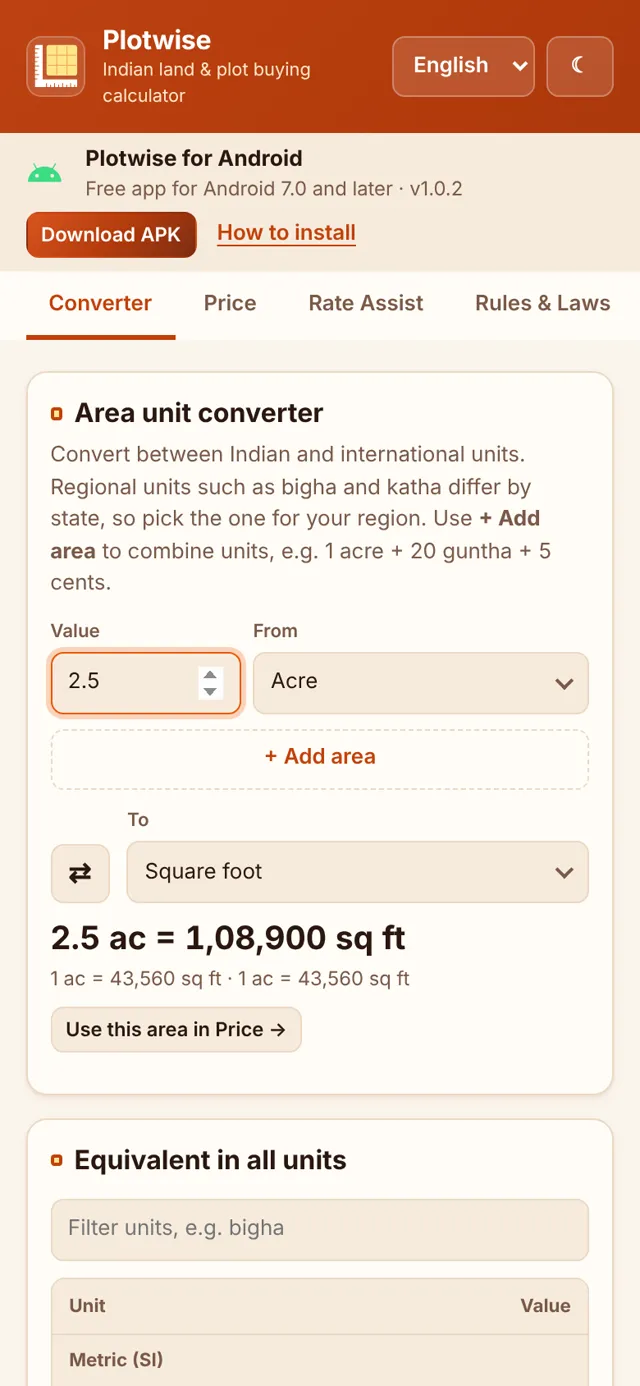
Plotwise on a phone
Area converter
Type an area in any unit and see it in every other one, including state-specific bigha and katha.
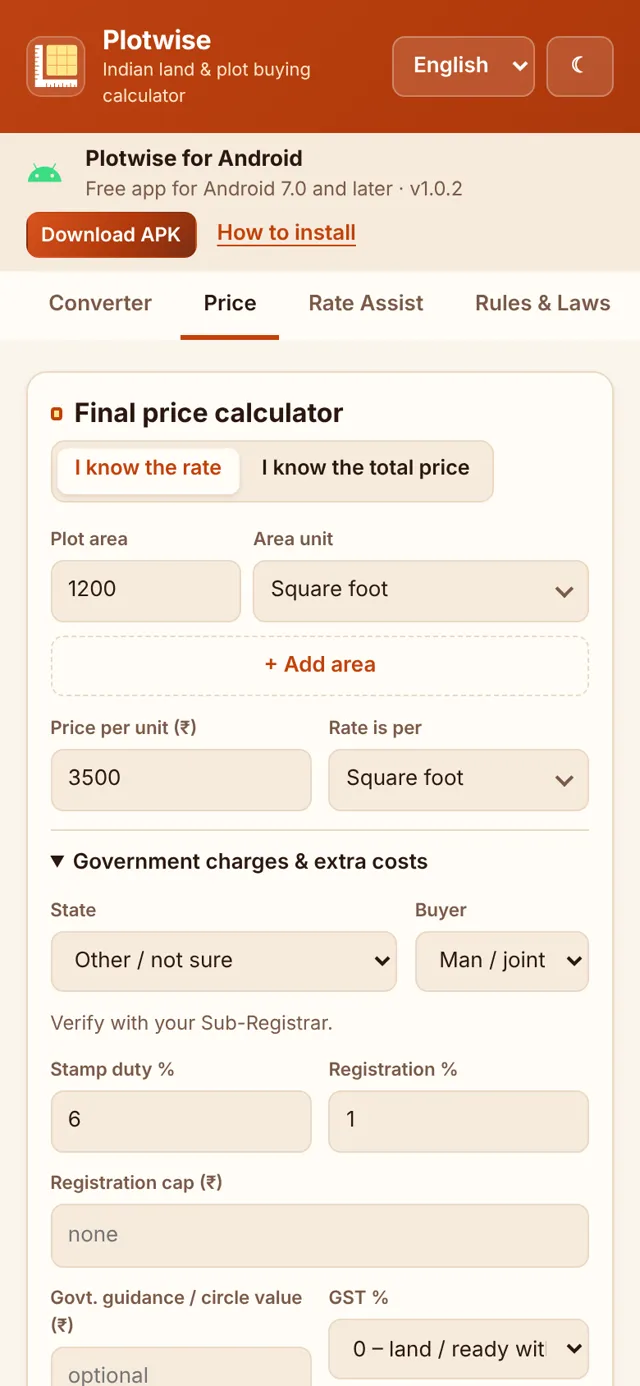
Price and total cost
Area and rate become the full price, with stamp duty, registration and GST for your state.
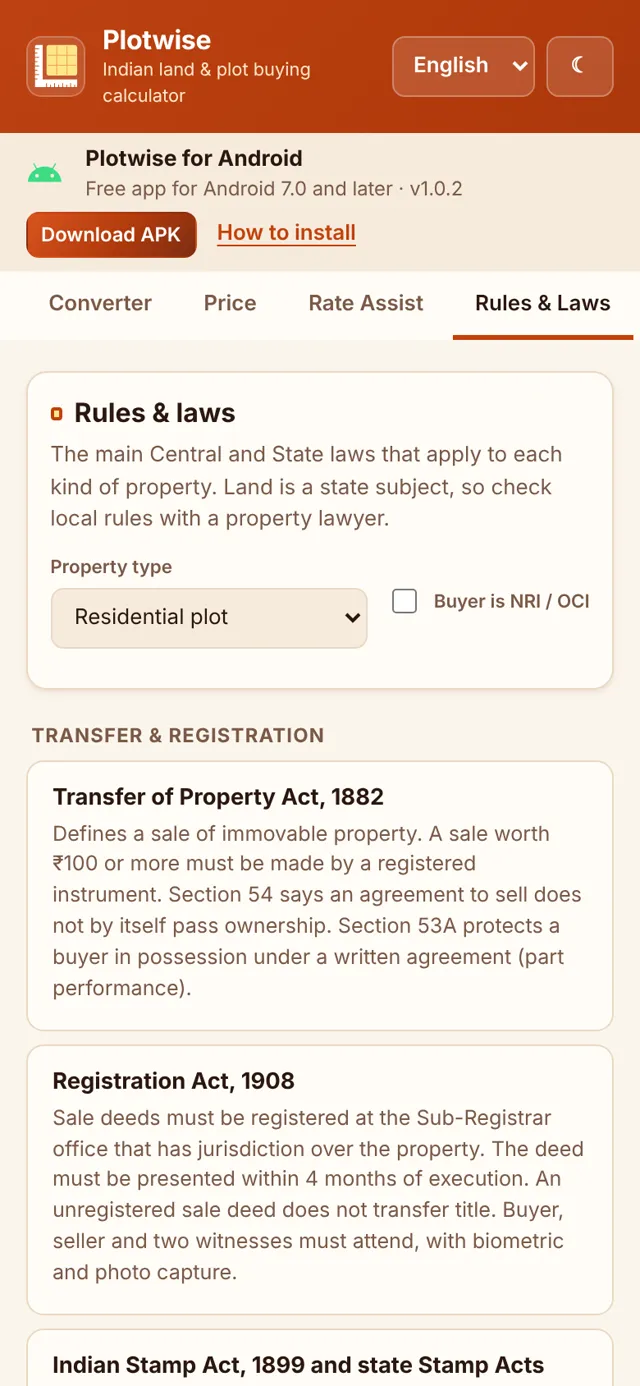
Rules and laws
What applies to plots, farmland, flats and houses, before you pay anything.
What you get
Area converter
Bigha, biswa, katha, guntha, cent, marla, kanal, ground, ankanam and more, with state-specific sizes. Add up mixed units like 1 acre + 20 guntha + 5 cent.
Price and total cost
Area × rate or total price, plus stamp duty and registration with per-state defaults you can edit. Duty is worked out on the higher of the agreed price and the guidance value.
Taxes and charges
GST, brokerage, other costs and the 1% TDS on property of ₹50 lakh or more, with every amount also written in lakh and crore.
Rate Assist
Ready-made searches for market rates, listings, the guidance value or circle rate, and RERA. Save comparables and send a rate straight to the price calculator.
Rules and laws
What applies to residential plots, farmland, builder and resale flats, houses, commercial and industrial property, with a view for NRI and OCI buyers.
Buying guide
A document checklist for each property type that remembers your progress on your device.
Installing the Android app
- Tap Download APK and open the file when the download finishes (or find it in your Downloads).
- If Android says your browser isn’t allowed to install apps, tap Settings.
- Turn on Allow from this source for your browser (for example Chrome), then go back.
- Tap Install. If Play Protect warns about an unknown app, tap More details, then Install anyway.
- When it’s installed, you can turn Allow from this source off again.
Can’t find the setting? It’s usually in Settings, then Apps, then Special app access, then Install unknown apps. On Android 7 or older, turn on Unknown sources in Settings, under Security. Plotwise needs Android 7.0 or later.
Guides
Plain explanations that go with Plotwise.
Open Plotwise
Plotwise gives estimates. Duty rates, guidance values and rules change, so confirm figures with your sub-registrar or a lawyer before you pay. The Android app is signed by OutcastX (SHA-256 of plotwise-1.0.2.apk: a76bc4f7becdf7397e5d716d302014b57aecab0864e798c64e5194405ae355fa). A Google Play version is coming; if you switch between the two later, uninstall the other one first.